Part 3 - Overlay Verification - Endless Routes…
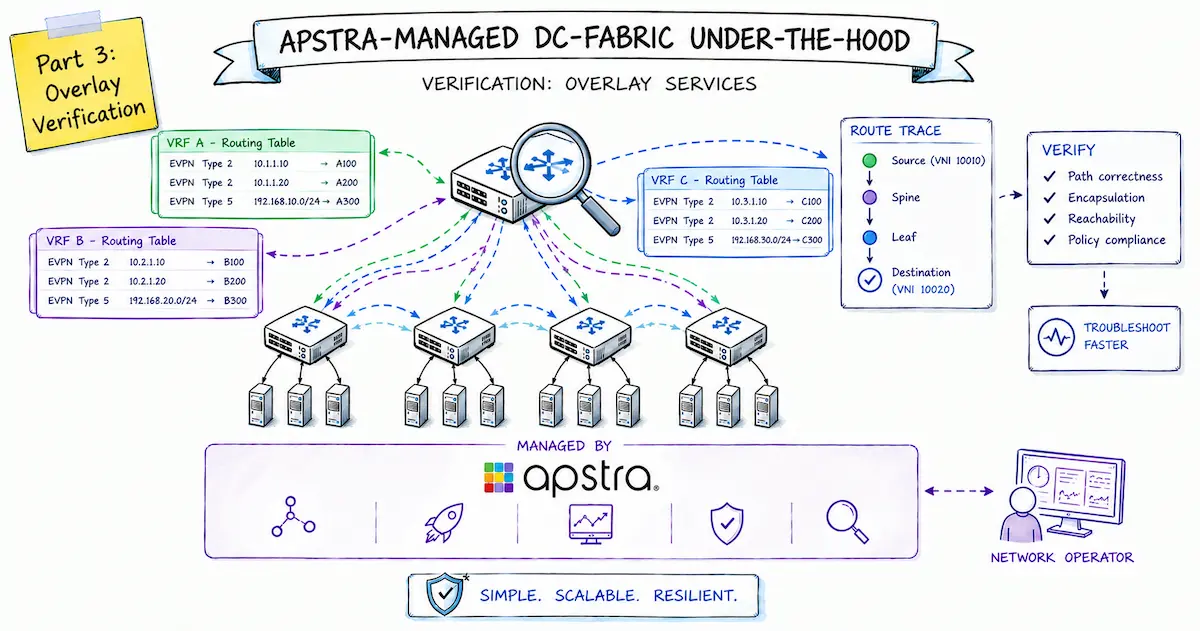
This is the third part of my series “Apstra Under the Hood”, which directly follows the previous second part on the implementation of overlay services and focuses on the verification and traceability of overlay functionalities.
For now, the goal is to provide a general overview and an understanding of the relationships: how Junos processes EVPN routes in the context of the overarching EVPN control plane, how to analyze BGP peering relationships, which routing tables play a role in this process, and which “show” commands can be used to view the various states and processing stages. The goal is to enable you to trace individual reachability pieces of information along their path from the EVPN route to their entry in the relevant control plane tables — for both Layer 2 and Layer 3 information.
Host Overview
To better understand the individual host availability details, such as MAC and IP addresses, let’s first take another look at the current status of the demo environment:
Here is an overview:
| phys. Host | MAC address | Connectivity | virt. Host (IP) | Virtual Network |
|---|---|---|---|---|
| Host1 | aa:bb:cc:80:12:00 | multi-Homed | 10.1.101.11 | 10101 |
| (Leaf1+2) | 10.1.102.11 | 10102 | ||
| ESI 00:02:00:00:00:00:01:00:00:01 | 10.2.201.11 | 20201 | ||
| 10.2.202.11 | 20202 | |||
| Host2 | aa:bb:cc:80:18:00 | single-Homed | 10.1.101.12 | 10101 |
| (Leaf3) | 10.2.201.12 | 20201 | ||
| Host3 | aa:bb:cc:80:19:00 | single-Homed | 10.1.102.13 | 10102 |
| (Leaf3) | 10.2.202.13 | 20202 |
EVPN eBGP Peerings
To begin, let’s take a look at the eBGP sessions required for the EVPN control plane to function. To do this, we’ll use the show bgp summary command on both the leaf and spine switches.
However, we’ll focus here only on those BGP sessions established between the switches’ loopback IPs (address range: 203.0.113.0/24) and configured with the address family evpn.
Let’s first take a look at Spine1 as an example:
aosadmin@spine1> show bgp summary

Threading mode: BGP I/O
Default eBGP mode: advertise - accept, receive - accept
Groups: 2 Peers: 6 Down peers: 0
Table          Tot Paths  Act Paths Suppressed    History Damp State    Pending
[...]
bgp.evpn.0
                      60         60          0          0          0          0
Peer                     AS      InPkt     OutPkt    OutQ   Flaps Last Up/Dwn State|#Active/Received/Accepted/Damped...
[...]
203.0.113.2           64514        152        165       0       0     1:00:13 Establ
  bgp.evpn.0: 21/21/21/0
203.0.113.3           64515        118        133       0       0       44:35 Establ
  bgp.evpn.0: 21/21/21/0
203.0.113.4           64516        117        131       0       0       44:22 Establ
  bgp.evpn.0: 18/18/18/0
From the perspective of the spine switches, you can see that an eBGP session has been established (Established) for each leaf loopback and that packets and routes are actively being exchanged over it. The same AS numbers are used as for underlay routing. All routes received through this connection are added to the bgp.evpn.0 routing table.
Next, let’s look at the whole thing from the perspective of a leaf switch:
aosadmin@leaf1> show bgp summary

Threading mode: BGP I/O
Default eBGP mode: advertise - accept, receive - accept
Groups: 2 Peers: 4 Down peers: 0
Table          Tot Paths  Act Paths Suppressed    History Damp State    Pending
[...]
bgp.evpn.0
                      78         39          0          0          0          0
Peer                     AS      InPkt     OutPkt    OutQ   Flaps Last Up/Dwn State|#Active/Received/Accepted/Damped...
[...]
203.0.113.0           64512        157        141       0       0       55:45 Establ
  bgp.evpn.0: 21/39/39/0
  evpn-1.evpn.0: 13/26/26/0
  TenantA.evpn.0: 3/6/6/0
  __default_evpn__.evpn.0: 1/1/1/0
  TenantB.evpn.0: 7/10/10/0
203.0.113.1           64513        128        104       0       0       39:55 Establ
  bgp.evpn.0: 18/39/39/0
  evpn-1.evpn.0: 13/26/26/0
  TenantA.evpn.0: 3/6/6/0
  __default_evpn__.evpn.0: 0/1/1/0
  TenantB.evpn.0: 3/10/10/0
The example of Leaf1 also shows that two eBGP sessions have been established, each to the loopback IPs of the two spine switches with different ASNs.
What is interesting here, however, is that — unlike with the spine switches — the received routes end up not just in one routing table, but in several EVPN routing tables at once:
bgp.evpn.0evpn-1.evpn.0TenantA.evpn.0TenantB.evpn.0__default_evpn__.evpn.0
Let’s now take a closer look at why the EVPN routes are divided among several routing tables here and what specific purposes each of them serves.
Overview
The following diagram is intended to provide a comprehensive overview of the routing tables involved on leaf switches, as well as to illustrate their relationships and how they function.
At the same time, the diagram can also be used as a tool for the targeted analysis and tracking of individual routes or reachability information — from the BGP protocol level through various levels of the control plane. To this end, the corresponding show commands for verifying the individual components are listed directly.
Sending and Receiving
Even before BGP routes end up in the local routing table, we can also take a detailed look at which routes are received from a specific BGP peer, as well as which routes are sent to that peer.
This can be relevant for the following questions, among others:
- Is a leaf switch sending the expected EVPN routes for a specific host?
- Is a leaf receiving identical routes via both spines, or is there a discrepancy?
- Which routes are actually sent by a leaf switch after filtering by the export policy?
The following commands are used for this purpose:
show route advertising-protocol bgp <neighbor>- Routes sent to the BGP peer (after filtering by the export policy)
show route receive-protocol bgp <neighbor>- Routes received from the BGP peer (before filtering by the import policy)
Using the Leaf3 as an example, we can use the command show route advertising-protocol bgp 203.0.113.0 to check which EVPN routes it is sending to Spine1:
aosadmin@leaf3> show route advertising-protocol bgp 203.0.113.0
[...]
bgp.evpn.0: 60 destinations, 102 routes (60 active, 0 holddown, 0 hidden)
Restart Complete
  Prefix                  Nexthop              MED     Lclpref    AS path
  2:203.0.113.4:65534::10101::aa:bb:cc:80:18:00/304 MAC/IP
*                         Self                                    I
  2:203.0.113.4:65534::10102::aa:bb:cc:80:19:00/304 MAC/IP
*                         Self                                    I
  2:203.0.113.4:65534::20201::aa:bb:cc:80:18:00/304 MAC/IP
*                         Self                                    I
  2:203.0.113.4:65534::20202::aa:bb:cc:80:19:00/304 MAC/IP
*                         Self                                    I
  2:203.0.113.4:65534::10101::aa:bb:cc:80:18:00::10.1.101.12/304 MAC/IP
*                         Self                                    I
  2:203.0.113.4:65534::10102::aa:bb:cc:80:19:00::10.1.102.13/304 MAC/IP
*                         Self                                    I
  2:203.0.113.4:65534::20201::aa:bb:cc:80:18:00::10.2.201.12/304 MAC/IP
*                         Self                                    I
  2:203.0.113.4:65534::20202::aa:bb:cc:80:19:00::10.2.202.13/304 MAC/IP
*                         Self                                    I
  3:203.0.113.4:65534::10101::203.0.113.4/248 IM
*                         Self                                    I
  3:203.0.113.4:65534::10102::203.0.113.4/248 IM
*                         Self                                    I
  3:203.0.113.4:65534::20201::203.0.113.4/248 IM
*                         Self                                    I
  3:203.0.113.4:65534::20202::203.0.113.4/248 IM
*                         Self                                    I
  5:203.0.113.4:10::0::10.1.101.0::24/248
*                         Self                                    I
  5:203.0.113.4:10::0::10.1.102.0::24/248
*                         Self                                    I
  5:203.0.113.4:10::0::10.1.255.2::32/248
*                         Self                                    I
  5:203.0.113.4:20::0::10.2.201.0::24/248
*                         Self                                    I
  5:203.0.113.4:20::0::10.2.202.0::24/248
*                         Self                                    I
  5:203.0.113.4:20::0::10.2.255.2::32/248
*                         Self                                    I

[...]    <--Output truncated-->
And using Leaf1 as an example, we can use the command show route receive-protocol bgp 203.0.113.0 to see which EVPN routes it receives from Spine1:
aosadmin@leaf1> show route receive-protocol bgp 203.0.113.0
[...]
bgp.evpn.0: 60 destinations, 99 routes (60 active, 0 holddown, 0 hidden)
Restart Complete
  Prefix                  Nexthop              MED     Lclpref    AS path
  1:203.0.113.3:0::020000000001000001::FFFF:FFFF/192 AD/ESI
*                         203.0.113.3                             64512 64515 I
  1:203.0.113.3:65534::020000000001000001::0/192 AD/EVI
                          203.0.113.3                             64512 64515 I
  2:203.0.113.3:65534::10101::aa:bb:cc:80:12:00/304 MAC/IP
*                         203.0.113.3                             64512 64515 I
  2:203.0.113.3:65534::10102::aa:bb:cc:80:12:00/304 MAC/IP
*                         203.0.113.3                             64512 64515 I
  2:203.0.113.3:65534::20201::aa:bb:cc:80:12:00/304 MAC/IP
*                         203.0.113.3                             64512 64515 I
  2:203.0.113.3:65534::20202::aa:bb:cc:80:12:00/304 MAC/IP
*                         203.0.113.3                             64512 64515 I
  2:203.0.113.4:65534::10101::aa:bb:cc:80:18:00/304 MAC/IP
                          203.0.113.4                             64512 64516 I
  2:203.0.113.4:65534::10102::aa:bb:cc:80:19:00/304 MAC/IP
*                         203.0.113.4                             64512 64516 I
  2:203.0.113.4:65534::20201::aa:bb:cc:80:18:00/304 MAC/IP
*                         203.0.113.4                             64512 64516 I
  2:203.0.113.4:65534::20202::aa:bb:cc:80:19:00/304 MAC/IP
*                         203.0.113.4                             64512 64516 I
  2:203.0.113.3:65534::10101::aa:bb:cc:80:12:00::10.1.101.11/304 MAC/IP
*                         203.0.113.3                             64512 64515 I
  2:203.0.113.3:65534::10102::aa:bb:cc:80:12:00::10.1.102.11/304 MAC/IP
*                         203.0.113.3                             64512 64515 I
  2:203.0.113.3:65534::20201::aa:bb:cc:80:12:00::10.2.201.11/304 MAC/IP
*                         203.0.113.3                             64512 64515 I
  2:203.0.113.3:65534::20202::aa:bb:cc:80:12:00::10.2.202.11/304 MAC/IP
*                         203.0.113.3                             64512 64515 I
  2:203.0.113.4:65534::10101::aa:bb:cc:80:18:00::10.1.101.12/304 MAC/IP
                          203.0.113.4                             64512 64516 I
  2:203.0.113.4:65534::10102::aa:bb:cc:80:19:00::10.1.102.13/304 MAC/IP
*                         203.0.113.4                             64512 64516 I
  2:203.0.113.4:65534::20201::aa:bb:cc:80:18:00::10.2.201.12/304 MAC/IP
*                         203.0.113.4                             64512 64516 I
  2:203.0.113.4:65534::20202::aa:bb:cc:80:19:00::10.2.202.13/304 MAC/IP

[...]     <--Output truncated-->
Global EVPN Routing Table
Let’s now return to the various local routing tables on the leaf switches and begin by examining the EVPN routes received from the EVPN peers — which are the spine switches. All EVPN routes received from the spines are initially placed in the global EVPN routing table named bgp.evpn.0, provided they are accepted by the corresponding import policy.
bgp.evpn.0 table therefore contains all EVPN routes of types 1–5 from all VRFs and VNIs, including all route targets. It is also used in the outbound direction as the basis for EVPN updates sent to the spine switches. However, the export policies configured on the Apstra side must be taken into account; these policies prevent, for example, routes from being forwarded from one spine to another.Starting from the global EVPN table bgp.evpn.0, further distribution then takes place in the following four routing tables based on the respective route targets (RTs) stored there:
evpn-1.evpn.0-> all MAC-VRF- and VNI-specific Type 1–3 EVPN routesTenantA.evpn.0-> all TenantA-specific Type 5 EVPN routesTenantB.evpn.0-> all TenantB-specific Type 2 (MAC/IP) and Type 5 EVPN routes__default_evpn__.evpn.0-> all global ESI multihoming-related Type 1/4 EVPN routes
L2 MAC-VRF Instance evpn-1
All L2-relevant EVPN routes from the bgp.evpn.0 table are placed in the MAC-VRF table evpn-1.evpn.0.
These include the following EVPN routes:
- Type 1: EVI-/service-related Ethernet Segment Auto-Discovery (AD/EVI) routes for split-horizon and aliasing functionality, as well as ESI-related (AD/ESI) routes for fast convergence (mass withdrawal)
- Type 2: MAC/IP routes as essential host reachability information, including VNI association
- Type 3: Inclusive multicast routes for signaling the VN/VLAN association of the leaf switches, which is required for creating the flood list for BUM traffic in the individual L2 segments.
The routes mentioned above are imported into the evpn-1.evpn.0 table based on the MAC-VRF or individual VNI-specific route targets.
The contents of this table can be viewed using the command show route table evpn-1.evpn.0, as shown here (in part) using Leaf1 as an example:
aosadmin@leaf1> show route table evpn-1.evpn.0
evpn-1.evpn.0: 39 destinations, 65 routes (39 active, 0 holddown, 0 hidden)
Restart Complete
+ = Active Route, - = Last Active, * = Both

1:203.0.113.2:65534::020000000001000001::0/192 AD/EVI
                   *[EVPN/170] 00:31:08
                       Indirect
1:203.0.113.3:0::020000000001000001::FFFF:FFFF/192 AD/ESI
                   *[BGP/170] 00:31:07, localpref 100, from 203.0.113.1
                      AS path: 64513 64515 I, validation-state: unverified
                    >  to 172.16.0.0 via ge-0/0/0.0
                       to 172.16.0.6 via ge-0/0/1.0
                    [BGP/170] 00:31:07, localpref 100, from 203.0.113.0
                      AS path: 64512 64515 I, validation-state: unverified
                    >  to 172.16.0.0 via ge-0/0/0.0
                       to 172.16.0.6 via ge-0/0/1.0
1:203.0.113.3:65534::020000000001000001::0/192 AD/EVI
                   *[BGP/170] 00:31:08, localpref 100, from 203.0.113.0
                      AS path: 64512 64515 I, validation-state: unverified
                    >  to 172.16.0.0 via ge-0/0/0.0
                       to 172.16.0.6 via ge-0/0/1.0
                    [BGP/170] 00:31:08, localpref 100, from 203.0.113.1
                      AS path: 64513 64515 I, validation-state: unverified
                    >  to 172.16.0.0 via ge-0/0/0.0
                       to 172.16.0.6 via ge-0/0/1.0
[...]
2:203.0.113.3:65534::10101::aa:bb:cc:80:12:00/304 MAC/IP
                   *[BGP/170] 00:31:06, localpref 100, from 203.0.113.1
                      AS path: 64513 64515 I, validation-state: unverified
                    >  to 172.16.0.0 via ge-0/0/0.0, Push 10101
                       to 172.16.0.6 via ge-0/0/1.0, Push 10101
                    [BGP/170] 00:31:06, localpref 100, from 203.0.113.0
                      AS path: 64512 64515 I, validation-state: unverified
                    >  to 172.16.0.0 via ge-0/0/0.0, Push 10101
                       to 172.16.0.6 via ge-0/0/1.0, Push 10101
2:203.0.113.3:65534::10102::aa:bb:cc:80:12:00/304 MAC/IP
                   *[BGP/170] 00:31:06, localpref 100, from 203.0.113.1
                      AS path: 64513 64515 I, validation-state: unverified
                    >  to 172.16.0.0 via ge-0/0/0.0, Push 10102
                       to 172.16.0.6 via ge-0/0/1.0, Push 10102
                    [BGP/170] 00:31:06, localpref 100, from 203.0.113.0
                      AS path: 64512 64515 I, validation-state: unverified
                    >  to 172.16.0.0 via ge-0/0/0.0, Push 10102
                       to 172.16.0.6 via ge-0/0/1.0, Push 10102
2:203.0.113.3:65534::20201::aa:bb:cc:80:12:00/304 MAC/IP
                   *[BGP/170] 00:01:01, localpref 100, from 203.0.113.1
                      AS path: 64513 64515 I, validation-state: unverified
                    >  to 172.16.0.0 via ge-0/0/0.0, Push 20201
                       to 172.16.0.6 via ge-0/0/1.0, Push 20201
                    [BGP/170] 00:01:01, localpref 100, from 203.0.113.0
                      AS path: 64512 64515 I, validation-state: unverified
                    >  to 172.16.0.0 via ge-0/0/0.0, Push 20201
                       to 172.16.0.6 via ge-0/0/1.0, Push 20201
2:203.0.113.3:65534::20202::aa:bb:cc:80:12:00/304 MAC/IP
                   *[BGP/170] 00:01:05, localpref 100, from 203.0.113.0
                      AS path: 64512 64515 I, validation-state: unverified
                    >  to 172.16.0.0 via ge-0/0/0.0, Push 20202
                       to 172.16.0.6 via ge-0/0/1.0, Push 20202
                    [BGP/170] 00:01:05, localpref 100, from 203.0.113.1
                      AS path: 64513 64515 I, validation-state: unverified
                    >  to 172.16.0.0 via ge-0/0/0.0, Push 20202
                       to 172.16.0.6 via ge-0/0/1.0, Push 20202
[...]
2:203.0.113.3:65534::10101::aa:bb:cc:80:12:00::10.1.101.11/304 MAC/IP
                   *[BGP/170] 00:31:06, localpref 100, from 203.0.113.1
                      AS path: 64513 64515 I, validation-state: unverified
                       to 172.16.0.0 via ge-0/0/0.0, Push 10101
                    >  to 172.16.0.6 via ge-0/0/1.0, Push 10101
                    [BGP/170] 00:31:06, localpref 100, from 203.0.113.0
                      AS path: 64512 64515 I, validation-state: unverified
                       to 172.16.0.0 via ge-0/0/0.0, Push 10101
                    >  to 172.16.0.6 via ge-0/0/1.0, Push 10101
2:203.0.113.3:65534::10102::aa:bb:cc:80:12:00::10.1.102.11/304 MAC/IP
                   *[BGP/170] 00:31:06, localpref 100, from 203.0.113.1
                      AS path: 64513 64515 I, validation-state: unverified
                       to 172.16.0.0 via ge-0/0/0.0, Push 10102
                    >  to 172.16.0.6 via ge-0/0/1.0, Push 10102
                    [BGP/170] 00:31:06, localpref 100, from 203.0.113.0
                      AS path: 64512 64515 I, validation-state: unverified
                       to 172.16.0.0 via ge-0/0/0.0, Push 10102
                    >  to 172.16.0.6 via ge-0/0/1.0, Push 10102
2:203.0.113.3:65534::20201::aa:bb:cc:80:12:00::10.2.201.11/304 MAC/IP
                   *[BGP/170] 00:01:01, localpref 100, from 203.0.113.1
                      AS path: 64513 64515 I, validation-state: unverified
                    >  to 172.16.0.0 via ge-0/0/0.0, Push 20201
                       to 172.16.0.6 via ge-0/0/1.0, Push 20201
                    [BGP/170] 00:01:01, localpref 100, from 203.0.113.0
                      AS path: 64512 64515 I, validation-state: unverified
                    >  to 172.16.0.0 via ge-0/0/0.0, Push 20201
                       to 172.16.0.6 via ge-0/0/1.0, Push 20201
2:203.0.113.3:65534::20202::aa:bb:cc:80:12:00::10.2.202.11/304 MAC/IP
                   *[BGP/170] 00:01:05, localpref 100, from 203.0.113.0
                      AS path: 64512 64515 I, validation-state: unverified
                    >  to 172.16.0.0 via ge-0/0/0.0, Push 20202
                       to 172.16.0.6 via ge-0/0/1.0, Push 20202
                    [BGP/170] 00:01:05, localpref 100, from 203.0.113.1
                      AS path: 64513 64515 I, validation-state: unverified
                    >  to 172.16.0.0 via ge-0/0/0.0, Push 20202
                       to 172.16.0.6 via ge-0/0/1.0, Push 20202
[...]
3:203.0.113.3:65534::10101::203.0.113.3/248 IM
                   *[BGP/170] 00:40:10, localpref 100, from 203.0.113.0
                      AS path: 64512 64515 I, validation-state: unverified
                    >  to 172.16.0.0 via ge-0/0/0.0, Push 10101
                       to 172.16.0.6 via ge-0/0/1.0, Push 10101
                    [BGP/170] 00:38:03, localpref 100, from 203.0.113.1
                      AS path: 64513 64515 I, validation-state: unverified
                    >  to 172.16.0.0 via ge-0/0/0.0, Push 10101
                       to 172.16.0.6 via ge-0/0/1.0, Push 10101
3:203.0.113.3:65534::10102::203.0.113.3/248 IM
                   *[BGP/170] 00:40:10, localpref 100, from 203.0.113.0
                      AS path: 64512 64515 I, validation-state: unverified
                    >  to 172.16.0.0 via ge-0/0/0.0, Push 10102
                       to 172.16.0.6 via ge-0/0/1.0, Push 10102
                    [BGP/170] 00:38:03, localpref 100, from 203.0.113.1
                      AS path: 64513 64515 I, validation-state: unverified
                    >  to 172.16.0.0 via ge-0/0/0.0, Push 10102
                       to 172.16.0.6 via ge-0/0/1.0, Push 10102
3:203.0.113.3:65534::20201::203.0.113.3/248 IM
                   *[BGP/170] 00:38:00, localpref 100, from 203.0.113.0
                      AS path: 64512 64515 I, validation-state: unverified
                    >  to 172.16.0.0 via ge-0/0/0.0, Push 20201
                       to 172.16.0.6 via ge-0/0/1.0, Push 20201
                    [BGP/170] 00:38:00, localpref 100, from 203.0.113.1
                      AS path: 64513 64515 I, validation-state: unverified
                    >  to 172.16.0.0 via ge-0/0/0.0, Push 20201
                       to 172.16.0.6 via ge-0/0/1.0, Push 20201
3:203.0.113.3:65534::20202::203.0.113.3/248 IM
                   *[BGP/170] 00:37:59, localpref 100, from 203.0.113.0
                      AS path: 64512 64515 I, validation-state: unverified
                    >  to 172.16.0.0 via ge-0/0/0.0, Push 20202
                       to 172.16.0.6 via ge-0/0/1.0, Push 20202
                    [BGP/170] 00:37:59, localpref 100, from 203.0.113.1
                      AS path: 64513 64515 I, validation-state: unverified
                    >  to 172.16.0.0 via ge-0/0/0.0, Push 20202
                       to 172.16.0.6 via ge-0/0/1.0, Push 20202

[...]   <--Output truncated-->
EVPN Database
Since the MAC-VRF routing table shown above already contains a large number of entries — even in this relatively simple demo environment — the whole thing can quickly become very confusing, especially in larger data center networks.
To gain a consolidated overview of all host reachability information, I would recommend starting by taking a look at the EVPN Database.
Using Leaf1 and Leaf3 as examples, the show evpn database command clearly shows how all the information — particularly from the EVPN Type 2 routes — is summarized in a clear tabular format:
aosadmin@leaf1> show evpn database
Instance: evpn-1
VLAN  DomainId  MAC address        Active source                  Timestamp        IP address
     10101      00:1c:73:00:00:01  irb.101                        Jun 10 19:31:56  10.1.101.1
     10101      aa:bb:cc:80:12:00  00:02:00:00:00:00:01:00:00:01  Jun 10 19:41:00  10.1.101.11
     10101      aa:bb:cc:80:18:00  203.0.113.4                    Jun 10 20:10:08  10.1.101.12
     10102      00:1c:73:00:00:01  irb.102                        Jun 10 19:31:56  10.1.102.1
     10102      aa:bb:cc:80:12:00  00:02:00:00:00:00:01:00:00:01  Jun 10 19:41:00  10.1.102.11
     10102      aa:bb:cc:80:19:00  203.0.113.4                    Jun 10 20:09:29  10.1.102.13
     20201      00:1c:73:00:00:01  irb.201                        Jun 10 19:34:07  10.2.201.1
     20201      aa:bb:cc:80:12:00  00:02:00:00:00:00:01:00:00:01  Jun 10 20:11:05  10.2.201.11
     20201      aa:bb:cc:80:18:00  203.0.113.4                    Jun 10 20:10:14  10.2.201.12
     20202      00:1c:73:00:00:01  irb.202                        Jun 10 19:34:07  10.2.202.1
     20202      aa:bb:cc:80:12:00  00:02:00:00:00:00:01:00:00:01  Jun 10 20:11:01  10.2.202.11
     20202      aa:bb:cc:80:19:00  203.0.113.4                    Jun 10 20:09:48  10.2.202.13

---------

aosadmin@leaf3> show evpn database
Instance: evpn-1
VLAN  DomainId  MAC address        Active source                  Timestamp        IP address
     10101      00:1c:73:00:00:01  irb.101                        Jun 10 19:31:50  10.1.101.1
     10101      aa:bb:cc:80:12:00  00:02:00:00:00:00:01:00:00:01  Jun 10 19:41:01  10.1.101.11
     10101      aa:bb:cc:80:18:00  ge-0/0/2.0                     Jun 10 20:10:07  10.1.101.12
     10102      00:1c:73:00:00:01  irb.102                        Jun 10 19:31:50  10.1.102.1
     10102      aa:bb:cc:80:12:00  00:02:00:00:00:00:01:00:00:01  Jun 10 19:41:01  10.1.102.11
     10102      aa:bb:cc:80:19:00  ge-0/0/3.0                     Jun 10 20:09:29  10.1.102.13
     20201      00:1c:73:00:00:01  irb.201                        Jun 10 19:34:07  10.2.201.1
     20201      aa:bb:cc:80:12:00  00:02:00:00:00:00:01:00:00:01  Jun 10 20:11:05  10.2.201.11
     20201      aa:bb:cc:80:18:00  ge-0/0/2.0                     Jun 10 20:10:14  10.2.201.12
     20202      00:1c:73:00:00:01  irb.202                        Jun 10 19:34:07  10.2.202.1
     20202      aa:bb:cc:80:12:00  00:02:00:00:00:00:01:00:00:01  Jun 10 20:11:01  10.2.202.11
     20202      aa:bb:cc:80:19:00  ge-0/0/3.0                     Jun 10 20:09:48  10.2.202.13
For each MAC address, the IP address in use is listed here along with its VLAN membership.
Also noteworthy is the column Active Source, which provides information about the origin of the data. Various types of entries can be found here:
| Type | Example | Description |
|---|---|---|
| Phys. Interface Name | ge-0/0/2.0 | The MAC/IP information was learned on a local physical interface. The associated host is therefore directly connected. |
| L3 IRB Interface | irb.101 | The MAC/IP information was learned on a local IRB interface. This information relates to the corresponding anycast gateway. Note: Apstra always configures the exact same MAC address 00:1c:73:00:00:01 for all IRB interfaces. |
| IP Address | 203.0.113.4 | The MAC/IP information was learned from the remote VTEP with the specified IP address, and this is a single-homed connection |
| Ethernet Segment ID | 00:02:00:00:00:00:01:00:00:01 | This is a multi-homed host connected via the Ethernet segment with the specified ID, which is propagated by multiple leaf switches. |
If you want to determine for multi-homed hosts, which specific leaf switches or remote VTEPs are behind the specified ESI, you can do so using the command show evpn database extensive:
aosadmin@leaf3> show evpn database extensive
Instance: evpn-1
[...]
VN Identifier: 10101, MAC address: aa:bb:cc:80:12:00
  State: 0x0
  Source: 00:02:00:00:00:00:01:00:00:01, Rank: 1, Status: Active
    Remote origin: 203.0.113.2
    Remote state: <Mac-Only-Adv>
    Remote origin: 203.0.113.3
    Remote state: <Mac-Only-Adv>
    Mobility sequence number: 0 (minimum origin address 203.0.113.2)
    Timestamp: Jun 10 19:41:01.140004 (0x6a29bdcd)
    State: <Remote-To-Local-Adv-Done>
    MAC advertisement route status: Not created (no local state present)
    IP address: 10.1.101.11
      Remote origin: 203.0.113.2
      Remote state: <Sent-to-l2ald>
      Remote origin: 203.0.113.3
      Remote state: <Sent-to-l2ald>
    History db: <No entries>
[...]
The two Remote-Origin entries 203.0.113.2 and 203.0.113.3 refer to the corresponding VTEPs that connect the ESI and the host
L3 Tenant-Specific Routes
In addition to the information discussed so far in the context of the MAC-VRF, we will now turn to the processing of pure Layer 3 routing information.
All L3-relevant EVPN routes for the two tenants / IP-VRFs from the bgp.evpn.0 table are placed in the two tenant-specific EVPN routing tables:
TenantA.evpn.0TenantB.evpn.0
The corresponding routes are imported into the respective tables based on the tenant-specific route target. The contents of these tables can be viewed using the command show route table TenantA.evpn.0 or show route table TenantB.evpn.0.
What’s interesting here is that, due to the different routing configurations (asymmetric vs. symmetric IRB), the two tables contain different EVPN routing information:
| Table | Routing | Information |
|---|---|---|
TenantA.evpn.0 | Asymmetric IRB | exclusively Type 5 EVPN routes for tenant-specific subnets and loopback IPs |
TenantB.evpn.0 | Symmetric IRB | Both Type 2 (MAC/IP) for individual host routes and Type 5 EVPN routes for tenant-specific subnets and loopback IPs |
Inter-VNI Routing
- In TenantA with Asymmetric IRB, Type-2 EVPN routes are not required for routing decisions, since traffic is always routed directly to the destination VN at the ingress leaf, and the destination host is accessible from there via Layer 2.
- In TenantB with Symmetric IRB, however, Type-2 EVPN routes are required for routing decisions, since the ingress leaf must directly identify the egress leaf in order to subsequently route to the specific destination via the L3 VN.
Here is a side-by-side comparison of excerpts from both tables using Leaf1 as an example: TenantA
TenantA.evpn.0: 9 destinations, 15 routes (9 active, 0 holddown, 0 hidden)
Restart Complete
+ = Active Route, - = Last Active, * = Both

[...]
5:203.0.113.3:10::0::10.1.101.0::24/248
                   *[BGP/170] 00:40:11, localpref 100, from 203.0.113.0
                      AS path: 64512 64515 I, validation-state: unverified
                    >  to 172.16.0.0 via ge-0/0/0.0, Push 10000
                       to 172.16.0.6 via ge-0/0/1.0, Push 10000
                    [BGP/170] 00:40:01, localpref 100, from 203.0.113.1
                      AS path: 64513 64515 I, validation-state: unverified
                    >  to 172.16.0.0 via ge-0/0/0.0, Push 10000
                       to 172.16.0.6 via ge-0/0/1.0, Push 10000
5:203.0.113.3:10::0::10.1.102.0::24/248
                   *[BGP/170] 00:40:11, localpref 100, from 203.0.113.0
                      AS path: 64512 64515 I, validation-state: unverified
                    >  to 172.16.0.0 via ge-0/0/0.0, Push 10000
                       to 172.16.0.6 via ge-0/0/1.0, Push 10000
                    [BGP/170] 00:40:01, localpref 100, from 203.0.113.1
                      AS path: 64513 64515 I, validation-state: unverified
                    >  to 172.16.0.0 via ge-0/0/0.0, Push 10000
                       to 172.16.0.6 via ge-0/0/1.0, Push 10000
5:203.0.113.3:10::0::10.1.255.1::32/248
                   *[BGP/170] 00:40:11, localpref 100, from 203.0.113.0
                      AS path: 64512 64515 I, validation-state: unverified
                    >  to 172.16.0.0 via ge-0/0/0.0, Push 10000
                       to 172.16.0.6 via ge-0/0/1.0, Push 10000
                    [BGP/170] 00:40:01, localpref 100, from 203.0.113.1
                      AS path: 64513 64515 I, validation-state: unverified
                    >  to 172.16.0.0 via ge-0/0/0.0, Push 10000
                       to 172.16.0.6 via ge-0/0/1.0, Push 10000
5:203.0.113.4:10::0::10.1.101.0::24/248
                   *[BGP/170] 00:40:00, localpref 100, from 203.0.113.1
                      AS path: 64513 64516 I, validation-state: unverified
                    >  to 172.16.0.0 via ge-0/0/0.0, Push 10000
                       to 172.16.0.6 via ge-0/0/1.0, Push 10000
                    [BGP/170] 00:40:00, localpref 100, from 203.0.113.0
                      AS path: 64512 64516 I, validation-state: unverified
                    >  to 172.16.0.0 via ge-0/0/0.0, Push 10000
                       to 172.16.0.6 via ge-0/0/1.0, Push 10000
5:203.0.113.4:10::0::10.1.102.0::24/248
                   *[BGP/170] 00:40:00, localpref 100, from 203.0.113.1
                      AS path: 64513 64516 I, validation-state: unverified
                    >  to 172.16.0.0 via ge-0/0/0.0, Push 10000
                       to 172.16.0.6 via ge-0/0/1.0, Push 10000
                    [BGP/170] 00:40:00, localpref 100, from 203.0.113.0
                      AS path: 64512 64516 I, validation-state: unverified
                    >  to 172.16.0.0 via ge-0/0/0.0, Push 10000
                       to 172.16.0.6 via ge-0/0/1.0, Push 10000
5:203.0.113.4:10::0::10.1.255.2::32/248
                   *[BGP/170] 00:40:00, localpref 100, from 203.0.113.1
                      AS path: 64513 64516 I, validation-state: unverified
                    >  to 172.16.0.0 via ge-0/0/0.0, Push 10000
                       to 172.16.0.6 via ge-0/0/1.0, Push 10000
                    [BGP/170] 00:40:00, localpref 100, from 203.0.113.0
                      AS path: 64512 64516 I, validation-state: unverified
                    >  to 172.16.0.0 via ge-0/0/0.0, Push 10000
                       to 172.16.0.6 via ge-0/0/1.0, Push 10000
TenantB
TenantB.evpn.0: 13 destinations, 23 routes (13 active, 0 holddown, 0 hidden)
Restart Complete
+ = Active Route, - = Last Active, * = Both

2:203.0.113.3:65534::20201::aa:bb:cc:80:12:00::10.2.201.11/304 MAC/IP
                   *[BGP/170] 00:01:01, localpref 100, from 203.0.113.1
                      AS path: 64513 64515 I, validation-state: unverified
                    >  to 172.16.0.0 via ge-0/0/0.0, Push 20201
                       to 172.16.0.6 via ge-0/0/1.0, Push 20201
                    [BGP/170] 00:01:01, localpref 100, from 203.0.113.0
                      AS path: 64512 64515 I, validation-state: unverified
                    >  to 172.16.0.0 via ge-0/0/0.0, Push 20201
                       to 172.16.0.6 via ge-0/0/1.0, Push 20201
2:203.0.113.3:65534::20202::aa:bb:cc:80:12:00::10.2.202.11/304 MAC/IP
                   *[BGP/170] 00:01:05, localpref 100, from 203.0.113.0
                      AS path: 64512 64515 I, validation-state: unverified
                    >  to 172.16.0.0 via ge-0/0/0.0, Push 20202
                       to 172.16.0.6 via ge-0/0/1.0, Push 20202
                    [BGP/170] 00:01:05, localpref 100, from 203.0.113.1
                      AS path: 64513 64515 I, validation-state: unverified
                    >  to 172.16.0.0 via ge-0/0/0.0, Push 20202
                       to 172.16.0.6 via ge-0/0/1.0, Push 20202
2:203.0.113.4:65534::20201::aa:bb:cc:80:18:00::10.2.201.12/304 MAC/IP
                   *[BGP/170] 00:01:52, localpref 100, from 203.0.113.0
                      AS path: 64512 64516 I, validation-state: unverified
                       to 172.16.0.0 via ge-0/0/0.0, Push 20201
                    >  to 172.16.0.6 via ge-0/0/1.0, Push 20201
                    [BGP/170] 00:01:52, localpref 100, from 203.0.113.1
                      AS path: 64513 64516 I, validation-state: unverified
                       to 172.16.0.0 via ge-0/0/0.0, Push 20201
                    >  to 172.16.0.6 via ge-0/0/1.0, Push 20201
2:203.0.113.4:65534::20202::aa:bb:cc:80:19:00::10.2.202.13/304 MAC/IP
                   *[BGP/170] 00:02:18, localpref 100, from 203.0.113.0
                      AS path: 64512 64516 I, validation-state: unverified
                       to 172.16.0.0 via ge-0/0/0.0, Push 20202
                    >  to 172.16.0.6 via ge-0/0/1.0, Push 20202
                    [BGP/170] 00:02:18, localpref 100, from 203.0.113.1
                      AS path: 64513 64516 I, validation-state: unverified
                       to 172.16.0.0 via ge-0/0/0.0, Push 20202
                    >  to 172.16.0.6 via ge-0/0/1.0, Push 20202
[...]
5:203.0.113.3:20::0::10.2.201.0::24/248
                   *[BGP/170] 00:38:00, localpref 100, from 203.0.113.0
                      AS path: 64512 64515 I, validation-state: unverified
                    >  to 172.16.0.0 via ge-0/0/0.0, Push 20000
                       to 172.16.0.6 via ge-0/0/1.0, Push 20000
                    [BGP/170] 00:38:00, localpref 100, from 203.0.113.1
                      AS path: 64513 64515 I, validation-state: unverified
                    >  to 172.16.0.0 via ge-0/0/0.0, Push 20000
                       to 172.16.0.6 via ge-0/0/1.0, Push 20000
5:203.0.113.3:20::0::10.2.202.0::24/248
                   *[BGP/170] 00:38:00, localpref 100, from 203.0.113.0
                      AS path: 64512 64515 I, validation-state: unverified
                    >  to 172.16.0.0 via ge-0/0/0.0, Push 20000
                       to 172.16.0.6 via ge-0/0/1.0, Push 20000
                    [BGP/170] 00:38:00, localpref 100, from 203.0.113.1
                      AS path: 64513 64515 I, validation-state: unverified
                    >  to 172.16.0.0 via ge-0/0/0.0, Push 20000
                       to 172.16.0.6 via ge-0/0/1.0, Push 20000
5:203.0.113.3:20::0::10.2.255.1::32/248
                   *[BGP/170] 00:38:01, localpref 100, from 203.0.113.0
                      AS path: 64512 64515 I, validation-state: unverified
                       to 172.16.0.0 via ge-0/0/0.0, Push 20000
                    >  to 172.16.0.6 via ge-0/0/1.0, Push 20000
                    [BGP/170] 00:38:01, localpref 100, from 203.0.113.1
                      AS path: 64513 64515 I, validation-state: unverified
                       to 172.16.0.0 via ge-0/0/0.0, Push 20000
                    >  to 172.16.0.6 via ge-0/0/1.0, Push 20000
5:203.0.113.4:20::0::10.2.201.0::24/248
                   *[BGP/170] 00:37:59, localpref 100, from 203.0.113.1
                      AS path: 64513 64516 I, validation-state: unverified
                    >  to 172.16.0.0 via ge-0/0/0.0, Push 20000
                       to 172.16.0.6 via ge-0/0/1.0, Push 20000
                    [BGP/170] 00:37:59, localpref 100, from 203.0.113.0
                      AS path: 64512 64516 I, validation-state: unverified
                    >  to 172.16.0.0 via ge-0/0/0.0, Push 20000
                       to 172.16.0.6 via ge-0/0/1.0, Push 20000
5:203.0.113.4:20::0::10.2.202.0::24/248
                   *[BGP/170] 00:37:59, localpref 100, from 203.0.113.1
                      AS path: 64513 64516 I, validation-state: unverified
                    >  to 172.16.0.0 via ge-0/0/0.0, Push 20000
                       to 172.16.0.6 via ge-0/0/1.0, Push 20000
                    [BGP/170] 00:37:59, localpref 100, from 203.0.113.0
                      AS path: 64512 64516 I, validation-state: unverified
                    >  to 172.16.0.0 via ge-0/0/0.0, Push 20000
                       to 172.16.0.6 via ge-0/0/1.0, Push 20000
5:203.0.113.4:20::0::10.2.255.2::32/248
                   *[BGP/170] 00:37:59, localpref 100, from 203.0.113.0
                      AS path: 64512 64516 I, validation-state: unverified
                       to 172.16.0.0 via ge-0/0/0.0, Push 20000
                    >  to 172.16.0.6 via ge-0/0/1.0, Push 20000
                    [BGP/170] 00:37:59, localpref 100, from 203.0.113.1
                      AS path: 64513 64516 I, validation-state: unverified
                       to 172.16.0.0 via ge-0/0/0.0, Push 20000
                    >  to 172.16.0.6 via ge-0/0/1.0, Push 20000
The EVPN tables mentioned above essentially serve as a link to the respective IPv4 routing tables for both VRFs. The individual EVPN routes are picked up by the rpd routing daemon, processed, and passed to the following two routing tables:
TenantA.inet.0TenantB.inet.0
These tables can also be displayed using the appropriate show route table command. As shown here in the example of Leaf1, it is easy to see how the corresponding IPv4 routes are derived from the individual EVPN routes:
TenantA
TenantA.evpn.0: 9 destinations, 15 routes (9 active, 0 holddown, 0 hidden)
Restart Complete
+ = Active Route, - = Last Active, * = Both

[...]
TenantA.inet.0: 9 destinations, 13 routes (9 active, 0 holddown, 0 hidden)
Restart Complete
@ = Routing Use Only, # = Forwarding Use Only
+ = Active Route, - = Last Active, * = Both

10.1.101.0/24      *[Direct/0] 00:40:09
                    >  via irb.101
                    [EVPN/170] 00:40:10
                       to 172.16.0.0 via ge-0/0/0.0
                    >  to 172.16.0.6 via ge-0/0/1.0
                    [EVPN/170] 00:39:59
                       to 172.16.0.0 via ge-0/0/0.0
                    >  to 172.16.0.6 via ge-0/0/1.0
10.1.101.1/32      *[Local/0] 00:40:09
                       Local via irb.101
10.1.101.11/32     *[EVPN/7] 00:31:05
                    >  via irb.101
10.1.102.0/24      *[Direct/0] 00:40:09
                    >  via irb.102
                    [EVPN/170] 00:40:10
                       to 172.16.0.0 via ge-0/0/0.0
                    >  to 172.16.0.6 via ge-0/0/1.0
                    [EVPN/170] 00:39:59
                       to 172.16.0.0 via ge-0/0/0.0
                    >  to 172.16.0.6 via ge-0/0/1.0
10.1.102.1/32      *[Local/0] 00:40:09
                       Local via irb.102
10.1.102.11/32     *[EVPN/7] 00:31:05
                    >  via irb.102
10.1.255.0/32      *[Direct/0] 00:56:10
                    >  via lo0.2
10.1.255.1/32      *[EVPN/170] 00:40:10
                    >  to 172.16.0.0 via ge-0/0/0.0
                       to 172.16.0.6 via ge-0/0/1.0
10.1.255.2/32      *[EVPN/170] 00:39:59
                    >  to 172.16.0.0 via ge-0/0/0.0
                       to 172.16.0.6 via ge-0/0/1.0
TenantB
TenantB.inet.0: 11 destinations, 15 routes (11 active, 0 holddown, 0 hidden)
Restart Complete
@ = Routing Use Only, # = Forwarding Use Only
+ = Active Route, - = Last Active, * = Both

10.2.201.0/24      *[Direct/0] 00:37:59
                    >  via irb.201
                    [EVPN/170] 00:37:59
                    >  to 172.16.0.0 via ge-0/0/0.0
                       to 172.16.0.6 via ge-0/0/1.0
                    [EVPN/170] 00:37:58
                    >  to 172.16.0.0 via ge-0/0/0.0
                       to 172.16.0.6 via ge-0/0/1.0
10.2.201.1/32      *[Local/0] 00:37:59
                       Local via irb.201
10.2.201.11/32     *[EVPN/7] 00:01:00
                    >  via irb.201
10.2.201.12/32     *[EVPN/7] 00:01:51
                       to 172.16.0.0 via ge-0/0/0.0
                    >  to 172.16.0.6 via ge-0/0/1.0
10.2.202.0/24      *[Direct/0] 00:37:58
                    >  via irb.202
                    [EVPN/170] 00:37:59
                    >  to 172.16.0.0 via ge-0/0/0.0
                       to 172.16.0.6 via ge-0/0/1.0
                    [EVPN/170] 00:37:58
                    >  to 172.16.0.0 via ge-0/0/0.0
                       to 172.16.0.6 via ge-0/0/1.0
10.2.202.1/32      *[Local/0] 00:37:58
                       Local via irb.202
10.2.202.11/32     *[EVPN/7] 00:01:04
                    >  via irb.202
10.2.202.13/32     *[EVPN/7] 00:02:17
                       to 172.16.0.0 via ge-0/0/0.0
                    >  to 172.16.0.6 via ge-0/0/1.0
10.2.255.0/32      *[Direct/0] 00:38:02
                    >  via lo0.3
10.2.255.1/32      *[EVPN/170] 00:38:00
                    >  to 172.16.0.0 via ge-0/0/0.0
                       to 172.16.0.6 via ge-0/0/1.0
10.2.255.2/32      *[EVPN/170] 00:37:58
                    >  to 172.16.0.0 via ge-0/0/0.0
                       to 172.16.0.6 via ge-0/0/1.0
As can be seen in the output, [EVPN] is also specified as the source for the individual IPv4 routes — but with different route preferences:
- a route preference of 7 for routes derived from EVPN Type-2 routes
- a route preference of 170 for routes derived from EVPN Type-5 routes.
L2/L3-Independent Routes
Anyone who has read this far may have already forgotten that there is another EVPN routing table that exists alongside the L2-based MAC-VRF table and the tenant-specific L3 tables.
This routing table, named __default_evpn__.evpn.0, has several distinctive features:
- On the one hand, it consolidates all fabric-global EVPN routes of Type 1 and Type 4 that are required in the context of ESI multihoming Distributed Forwarding (DF) election.
- On the other hand, due to its focus on the DF election, it is used only on those leaf switches that actually connect multihomed hosts or host ESI multihomed segments.
This becomes apparent when comparing the contents of the __default_evpn__.evpn.0 table on Leaf1 (with multi-homed hosts) with the contents on Leaf3 (with only single-homed hosts):
Leaf1
__default_evpn__.evpn.0: 3 destinations, 4 routes (3 active, 0 holddown, 0 hidden)
Restart Complete
+ = Active Route, - = Last Active, * = Both

1:203.0.113.2:0::020000000001000001::FFFF:FFFF/192 AD/ESI
                   *[EVPN/170] 00:31:07
                       Indirect
4:203.0.113.2:0::020000000001000001:203.0.113.2/296 ES
                   *[EVPN/170] 00:31:08
                       Indirect
4:203.0.113.3:0::020000000001000001:203.0.113.3/296 ES
                   *[BGP/170] 00:31:08, localpref 100, from 203.0.113.0
                      AS path: 64512 64515 I, validation-state: unverified
                    >  to 172.16.0.0 via ge-0/0/0.0
                       to 172.16.0.6 via ge-0/0/1.0
                    [BGP/170] 00:31:08, localpref 100, from 203.0.113.1
                      AS path: 64513 64515 I, validation-state: unverified
                    >  to 172.16.0.0 via ge-0/0/0.0
                       to 172.16.0.6 via ge-0/0/1.0
Leaf3
*[empty]*
At first glance, looking at the pure EVPN routes in this table is not very helpful for determining which leaf or VTEP has won the race to become the designated forwarder for a specific Ethernet segment.
To do this, you can use the command show evpn instance designated-forwarder — but only on the leaf switches that are actually connected to the corresponding ESI.
Using Leaf1 as an example, the following output suggests that the VTEP with the IP address 203.0.113.3 (-> Leaf2) is currently the designated forwarder for the segment 00:02:00:00:00:00:01:00:00:01.
aosadmin@leaf1> show evpn instance designated-forwarder
Instance: evpn-1
  Number of ethernet segments: 5
    ESI: 00:02:00:00:00:00:01:00:00:01
      Designated forwarder: 203.0.113.3
    ESI: 05:00:00:fc:02:00:00:27:75:00
    ESI: 05:00:00:fc:02:00:00:27:76:00
    ESI: 05:00:00:fc:02:00:00:4e:e9:00
    ESI: 05:00:00:fc:02:00:00:4e:ea:00
Conclusion
In this article, I have attempted to provide as comprehensive an overview as possible of the relationships and functionalities within the context of the EVPN control plane. I have discussed how EVPN routes are exchanged between fabric switches and how this information is structured and processed internally by Junos.
I admit that the article has turned out to be quite extensive, particularly due to the numerous long outputs from the various routing tables. However, it was important to me to link the explanations in the text with concrete examples from the demo environment to enable all readers to comprehend the concepts as clearly as possible.
If you haven’t read the entire article from start to finish (which I can totally understand 😁), you may at least use the individual sections to jump directly to the parts that interest you.
Even if you only take away one piece of information from the article, it’s likely to be the diagram of how everything fits together from the Overview, which you can reuse at any time as some kind of troubleshooting guide or checklist.
For those of you who found the article a bit too superficial, though, I can already reveal that I’ll be going into even greater detail on specific aspects in future articles.